How to Choose Real Time Reporting Automation Software: A Buyer's Guide
Your team reports progress in WhatsApp, but nobody knows what happened until tomorrow. That delay costs you decisions, payroll hours, and customer trust. Picking the wrong reporting automation tool makes it worse.
This buyer's guide shows you what Tasks.Bot actually offers, from WhatsApp-native task creation to face-verified attendance and GPS tracking. You will compare monthly and annual plans, weigh a three-month free offer, and walk away with a checklist covering data security, adoption speed, and reporting latency so you can decide with evidence rather than a sales pitch.
What Is Tasks.Bot? The WhatsApp-Native Reporting Automation Platform
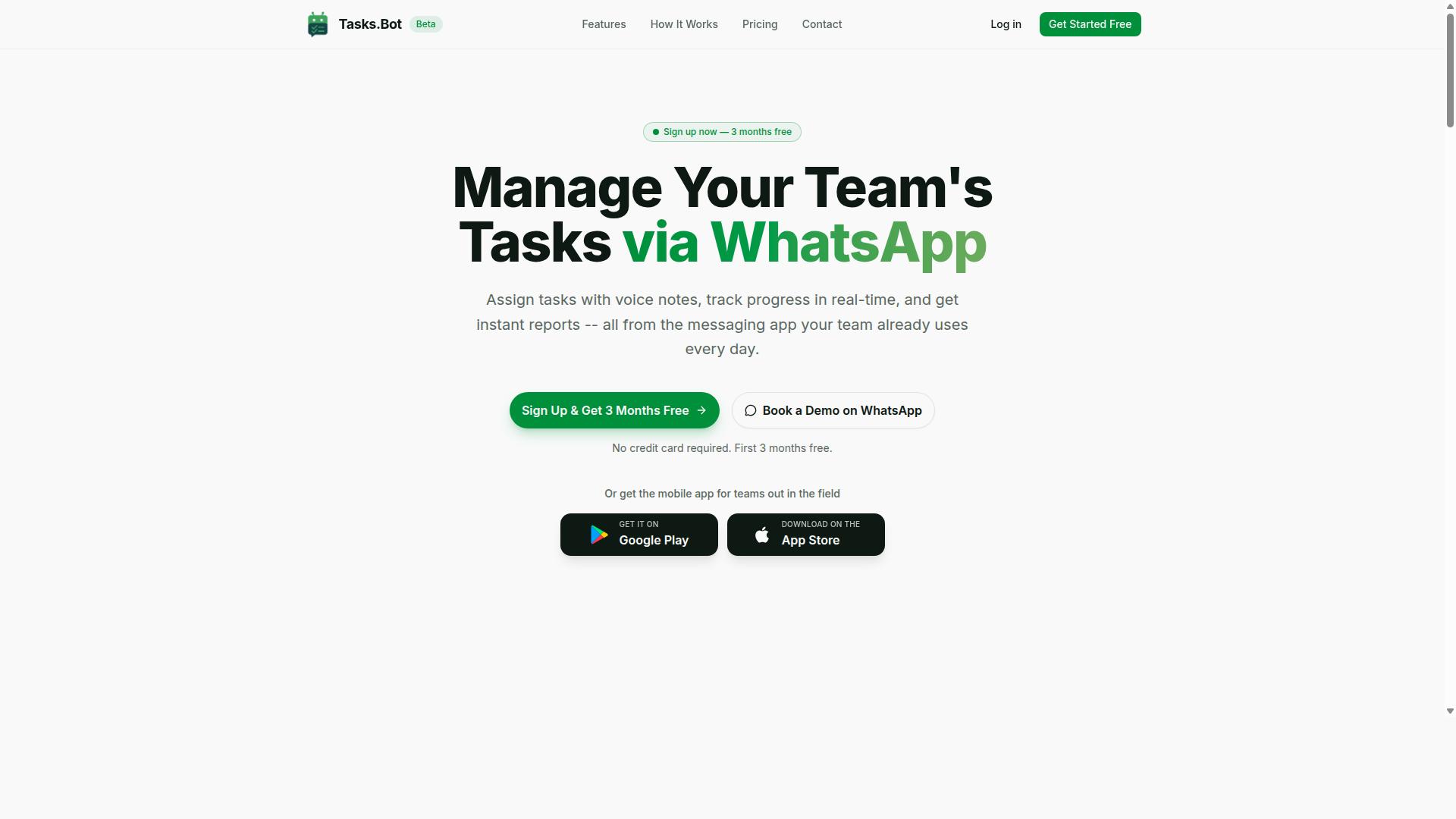
Tasks.Bot is a task management and reporting automation platform that operates entirely within WhatsApp, enabling teams to assign tasks, track progress, and receive instant reports without leaving the messaging app. Instead of asking workers to learn another dashboard, it meets them in the tool they already open every day.
That design choice matters for buyers evaluating real time reporting automation software. Most platforms assume every user will log into a web portal or install a dedicated app. Tasks.Bot flips that assumption by turning WhatsApp itself into the interface for task assignment and progress updates.
As updates flow in from the field, the platform captures them and turns them into reporting output. Managers get a live view of what has been assigned, what has been completed, and what is still open, without chasing messages or rebuilding spreadsheets by hand.
For teams that need automated reporting rather than another inbox to monitor, this removes a layer of friction. There is no separate account to create for every worker and no second app to adopt. The service is currently in beta and offers a free trial period, so buyers can evaluate fit before committing.
Tasks.Bot also offers a mobile app for field teams, which gives organizations a second access point when a phone is shared, offline, or better suited to structured data entry than a chat thread.
Who Tasks.Bot Serves: WhatsApp-First Teams and Field Staff
Tasks.Bot is designed for teams that rely on WhatsApp as their primary communication tool, especially those with field staff who need to manage tasks, track attendance, and generate payroll-ready hours. The site mentions hundreds of teams already using the service.
The common thread is a workforce that is mobile, distributed, or rarely seated at a desk. These teams already coordinate over chat, so the barrier to adoption is close to zero. There is no new interface to teach and no login to forget.
Typical profiles include:
- Construction crews, where site supervisors assign work and need attendance and hours recorded as the day unfolds
- Delivery operations, where dispatchers track job status and completion across many drivers
- Field service teams, where technicians log visits, parts, and time spent on each site
- Facilities and maintenance groups, where recurring jobs must be confirmed and documented
Their shared pain points are familiar. Hours get reconstructed from memory at the end of the week. Attendance lives in a notebook or a group chat scroll. Task status is unclear until someone asks. Payroll preparation becomes a manual reconciliation exercise.
Because Tasks.Bot works inside a familiar messaging interface, updates arrive in near real time rather than at the end of a shift. That supports KPI tracking on attendance, completion rates, and labor hours without adding administrative overhead.
For buyers comparing options, the practical question is simple: does the tool fit how your team already communicates? For WhatsApp-first operations, Tasks.Bot answers yes, and it does so with reporting built into the same conversation.
Why Tasks.Bot Is a Trustworthy Choice for Real Time Reporting Automation
Trust in reporting automation hinges on transparency, reliability, and a clear understanding of the platform's current stage and policies. Buyers evaluating real time reporting automation software should look past marketing claims and check what a vendor actually publishes about its product status, commitments, and safeguards.
Tasks.Bot is a SaaS reporting tool that presents its verified details openly on its website. The service is currently in beta, the site includes a refund policy in the footer, and buyers can request a walkthrough through a Book a Demo on WhatsApp option. The copyright year listed is 2026.
That level of disclosure matters in a buyer's guide context. A platform that states its beta status, publishes a refund policy, and offers a live demo channel gives you concrete points to verify before you commit budget or migrate data.
Trustworthiness here is not about hype. It is about whether the vendor tells you where the product stands today, what protection you have if it does not fit, and how easily you can ask questions before signing anything.
Verified Facts Buyers Can Rely On: Beta Status, Free Trial, and Refund Policy
Buyers can verify key facts about Tasks.Bot directly from its website, including its beta status, a refund policy, and a demo booking option. Each of these points deserves a closer look before you decide.
Beta status means the platform is still evolving. Features may change, and the roadmap can shift as the team gathers feedback. For buyers, that cuts two ways. You accept some uncertainty, but you also get a chance to influence product direction early, which is rare with mature tools.
The refund policy acts as a risk mitigator. It is listed in the site footer, so it is easy to locate and review. Reading those terms before purchase tells you what happens if the software does not meet your reporting needs.
The Book a Demo on WhatsApp option lets you ask questions directly before committing. Use it to clarify beta timelines, refund conditions, and how the platform handles your reporting workflows.
- Check the footer for the refund policy and read the full terms.
- Confirm the current beta status and ask what that means for stability.
- Book a demo on WhatsApp to test the platform against your own reporting scenarios.
Together, these verified facts give you a practical way to assess Tasks.Bot on evidence rather than promises. For a buyer's guide, that is exactly the standard any real time analytics vendor should be held to.
Key Features That Make Tasks.Bot Stand Out
Tasks.Bot distinguishes itself through a suite of features built for WhatsApp-native task management and real-time reporting. Instead of asking teams to adopt yet another platform, it works inside the messaging app most people already use every day.
That design choice matters for anyone evaluating real time reporting automation software. Adoption friction is one of the biggest reasons reporting tools fail after purchase. When team members do not need to install anything or create new accounts, real time visibility starts from day one rather than after a weeks-long rollout.
The standout capabilities fall into two groups. The first covers communication and automation: instant reports, voice note task creation, and AI that understands natural language. The second covers field operations: face-verified attendance, live GPS tracking, and tasks on a map.
Both groups share the same goal. They reduce manual effort while feeding accurate data into reports as work happens, which is exactly what a buyer should look for in this category.
Instant Reports, Voice Note Task Creation, and AI-Powered Natural Language
Tasks.Bot enables users to create tasks via voice notes and receive instant reports, all powered by AI that understands natural language. There is no form to fill in and no dashboard to learn. A manager simply sends a message the way they would to any colleague.
For example, a manager can send a voice note saying "Assign John to fix the leak by Friday." The AI interprets the intent, creates the task, assigns it to John, and sets the Friday deadline. What used to take several taps across multiple screens becomes a single spoken sentence.
Instant reports work the same way. Automated summaries of task progress, completion rates, and other KPIs arrive inside WhatsApp, so managers get automated reporting without logging into separate dashboard software or waiting for a scheduled report to run.
Around these core capabilities, Tasks.Bot also handles automatic task assignment, smart deadline reminders, and approvals and automations. Together they cut manual entry, reduce transcription errors, and save time that would otherwise go into chasing updates.
For buyers comparing options, this is the practical side of real time analytics. The data stays current because it is captured at the moment of the conversation, not reconstructed later from memory.
Face-Verified Attendance, Live GPS Tracking, and Tasks on a Map
For field-based teams, Tasks.Bot offers face-verified attendance, live GPS tracking, and a map view of tasks to ensure accountability and real-time coordination. These features target a problem that messaging alone cannot solve: confirming that remote work actually happened, where, and when.
Face verification addresses buddy punching, where one employee clocks in on behalf of another. A verified check-in ties attendance to a real person, which matters for payroll accuracy and for shift, leave, and hours management.
Live GPS tracking shows the real-time location of field staff. A delivery company can follow its drivers through the day, while a maintenance team can confirm that a technician actually reached the site. Tasks on a map add a planning layer: dispatchers can see open jobs geographically and assign nearby work to the closest available person.
Attendance and location data do not sit in isolation. They feed into reports that support payroll processing and performance analysis, giving managers one place to review KPI tracking across both office and field staff. Combined with the communication features above, this creates a single reporting picture rather than two disconnected systems.
Pricing and Plans: Transparent Costs in ₹ and $
Tasks.Bot offers straightforward pricing with a single 'Full Access' plan available in both Indian Rupees and US Dollars. Instead of juggling tiered packages or feature gates, buyers see one price that covers the entire product. That simplicity matters when you are evaluating real time reporting automation software, because hidden add-ons and per-module fees make total cost of ownership hard to predict.
Pricing is charged per member, which keeps costs scalable as your team grows or shrinks. A small team pays for the seats it actually uses, and there is no separate charge for advanced reporting capabilities. For a buyer's guide, this is a useful benchmark: compare any vendor's per-seat cost against what is bundled into that seat, not just the headline number.
The currency selector lets you choose between Indian Rupee and US Dollar, a practical detail for global teams. Tasks.Bot serves users across regions, so seeing costs in your local currency removes guesswork around exchange rates. When comparing dashboard software or automated reporting platforms, always confirm which currency a quote uses before you build a budget.
Transparency in pricing also signals how a vendor treats customers after the sale. A single published rate, billed monthly or annually, avoids the renegotiation cycles common with enterprise reporting suites. For teams weighing reporting frequency, data volume, or concurrency needs, knowing the cost up front makes the technical evaluation cleaner.
Monthly vs Annual Plans, the 3-Month Free Offer, and What "Full Access" Includes
Tasks.Bot provides flexibility with monthly and annual billing options, a 3-month free offer for new customers, and a 'Full Access' plan that includes every feature. The monthly plan costs ₹200 per member per month. The annual plan costs ₹1,200 per year per member, which works out to ₹100 per month, a 50% saving of ₹1,200 per year per member.
The free offer requires no credit card, and you can cancel anytime. That combination lowers the risk of testing real time analytics before committing budget. Three months is enough time to run scheduled reports, test data refresh rates, and see whether the platform fits your reporting frequency.
Here is how the two options compare for a ten-person team:
| Plan | Cost per member | 10-member cost | Effective monthly |
|---|---|---|---|
| Monthly | ₹200 per month | ₹2,000 per month | ₹2,000 |
| Annual | ₹1,200 per year | ₹12,000 per year | ₹1,000 |
The annual route halves the effective monthly rate, which matters as headcount grows. A 25-member team on monthly billing pays ₹5,000 per month, while the annual plan brings that to ₹2,500 per month equivalent. For teams confident in the tool after the free period, annual billing is the clearer value.
'Full Access' means every feature is included rather than split across tiers. That covers voice note task creation, instant reports, and face-verified attendance, among the platform's capabilities. Buyers evaluating automated reporting or KPI tracking should confirm whether a vendor charges extra for reports, seats, or integrations. With one plan, that question disappears.
Scalability follows the same logic. Because pricing is per member, you can add seats without renegotiating contracts or upgrading tiers. That keeps cost predictable whether you run a five-person operation or a larger department using streaming data and frequent reports.
How to Evaluate Real Time Reporting Automation Software: A Buyer's Checklist
When evaluating real time reporting automation software, buyers should consider factors like data security, ease of adoption, and reporting speed to ensure the tool meets their operational needs.
A structured checklist keeps the evaluation grounded. Instead of comparing glossy demos, buyers can score each vendor against the same criteria and see which gaps matter most.
Start with the pillars that carry the most risk if they fail: data security, ease of adoption, and reporting speed. Then layer in integration capabilities, scalability, and cost to complete the picture.
- Data security: encryption, access controls, and compliance certifications such as GDPR or SOC 2.
- Ease of adoption: onboarding effort, training needs, and time to first useful report.
- Reporting speed: data refresh rate, query latency, and whether insights arrive in real time or near-real time.
- Integration capabilities: API connectivity, supported data sources, and how well ETL pipelines fit existing systems.
- Scalability: concurrency limits, throughput under heavy data volume, and behavior as usage grows.
- Cost: pricing model, per-user fees, and what happens to the bill as data or seats expand.
Each criterion deserves a question you can put to the vendor directly. For security, ask where data is encrypted and which compliance frameworks are supported. For adoption, ask how long a typical team takes to reach its first live dashboard.
For speed, ask about refresh intervals and peak-load query performance rather than averages. For integration, request the full list of supported sources and API documentation. For scalability, ask how the platform handles concurrent users during a traffic spike.
On cost, ask for a sample invoice at your expected data volume, not just the entry price. A tool that looks cheap at ten users can become expensive at scale, and vice versa.
Pair every question with a small pilot. Run the software against a slice of your own data, with a handful of real users, before committing. Document what you learn and compare notes across vendors using the same scoring sheet.
Data Security, Ease of Adoption, and Reporting Speed
Data security, ease of adoption, and reporting speed are three critical pillars that determine whether a real time reporting automation tool will succeed in your organization.
On security, look for encryption in transit and at rest as a baseline. Confirm that role-based access controls let you limit who sees which dashboards and datasets.
Compliance matters too. If you handle personal data, ask whether the vendor aligns with GDPR, SOC 2, or similar standards, and request the relevant documentation rather than a verbal assurance.
Ease of adoption decides whether the tool actually gets used. A clean interface and self-service analytics reduce dependence on technical staff. Training requirements should be modest, and integration with tools your team already uses, such as messaging apps, shortens the path to value.
Reporting speed separates true real time analytics from near-real-time or scheduled reports. Ask about the data refresh rate and query latency under realistic conditions.
- Sub-second query performance for common dashboard views.
- Automatic refreshes on a short cadence, such as every minute, for fast-moving KPIs.
- Clear documentation of any lag between an event occurring and it appearing in a report.
Test these claims with your own data volume, not a vendor demo dataset. A pilot with a small team reveals how the tool behaves when dashboards, users, and streaming data all run at once.
Some platforms, including Tasks.Bot, are designed to lower adoption friction by meeting teams in familiar channels, which is a useful reminder to weigh onboarding effort alongside raw feature lists.
Score each pillar honestly. A tool that excels at speed but stalls on security or adoption will cost more in workarounds than it saves in insight.
Who Should Use Tasks.Bot
Tasks.Bot is ideal for teams that communicate via WhatsApp and need to manage tasks, track field staff, and generate real-time reports without adopting complex software. Hundreds of teams already use the service, which suggests the fit is well proven for a specific kind of operation rather than a general office audience.
The core profile is straightforward. These are teams that already run their daily coordination through WhatsApp and have staff working away from a desk. Because Tasks.Bot works inside a tool the team already uses, there is no new app to install and no training curve to overcome.
What ties these groups together is a need for visibility. They want to know what has been assigned, what has been completed, and how many hours have actually been worked, without waiting for a weekly spreadsheet to be compiled by hand. Real-time reporting matters most when decisions have to be made the same day, not the following Monday.
Several industries fit this pattern particularly well:
- Construction crews where supervisors need to confirm site attendance and task progress as the day unfolds
- Delivery and courier services tracking routes, drop-offs, and driver hours
- Facility maintenance teams handling scheduled jobs and reactive repairs across multiple locations
- Event staffing agencies coordinating large numbers of short-term workers on tight timelines
- Field sales teams logging visits, follow-ups, and time on the road
- Home care and healthcare providers confirming caregiver visits and payroll-ready hours
- Retail and logistics operations managing shift tasks and stock-related duties across sites
The common thread across all of them is attendance tracking and payroll-ready hours. When hours are captured as work happens rather than reconstructed later, payroll preparation becomes a byproduct of normal communication instead of a separate administrative exercise. That is the practical value Tasks.Bot offers these teams: task management, attendance tracking, and payroll-ready hours, all delivered through a familiar interface.
It is equally useful to know where Tasks.Bot is not the right choice. A team that does not use WhatsApp as a primary channel would lose the main advantage, since the whole appeal rests on meeting people where they already are. Likewise, an organization looking for a full business intelligence platform, with data integration, ETL pipelines, custom data visualization, or embedded analytics, will find that a different class of tool suits those needs better. Tasks.Bot is built for operational clarity and fast reporting, not for deep analytical modelling or complex dashboard software.
The clearest way to decide is to ask two questions. Does the team already coordinate through WhatsApp? And does the reporting need center on tasks, attendance, and hours rather than advanced analytics? If both answers are yes, Tasks.Bot is a strong fit. If either is no, it is worth looking at other options before committing.
Final Verdict: Is Tasks.Bot the Right Reporting Automation Software for You?
Tasks.Bot presents a compelling option for WhatsApp-centric teams seeking real-time reporting automation, but the right choice depends on your specific needs and readiness for a beta-stage product.
Across this buyer's guide, one theme stands out: the best real time reporting automation software is the one your team will actually use every day. A platform with advanced business intelligence features means little if field staff never open it. Tasks.Bot solves that adoption problem differently by living where many teams already spend their working hours.
Here is a quick recap of where Tasks.Bot stands out:
- WhatsApp-native design: reporting happens inside a messaging app most field teams already know, which lowers training friction.
- AI-powered automation: routine reporting tasks are handled with less manual effort.
- Field-friendly features: built for staff who work away from a desk, not just analysts at headquarters.
- Transparent pricing: costs are presented clearly, which matters when comparing tools in a buyer's guide.
These strengths point to a clear value proposition. For teams weighing data integration, API connectivity, and dashboard software, Tasks.Bot offers a lean path to automated reporting without a heavy rollout.
Two considerations deserve honest mention. Tasks.Bot is still in beta, so some capabilities may evolve, and buyers should confirm the current refund policy before committing. Neither point disqualifies the platform. They simply mean you should treat onboarding as a partnership and verify terms up front.
The verdict depends on fit. Tasks.Bot is a strong recommendation for teams already on WhatsApp with field staff who need fast, low-latency reporting without a steep learning curve. If you require advanced business intelligence, deep data visualization, or on-premise deployment, evaluate alternatives that specialize in those areas first.
To see whether it fits your workflow, book a demo on WhatsApp or start a free trial. You can reach the team directly at Phone: +91 97143 42522 or Email: [email protected] for a personalized assessment of your reporting needs.
As Tasks.Bot evolves beyond beta, its potential to become a dependable layer for real time analytics and KPI tracking only grows. For WhatsApp-first organizations, it is a platform worth watching closely, and worth trying today.
Frequently Asked Questions
Do my team members need to install new software or create accounts to use Tasks.Bot?
No. Tasks.Bot operates entirely within WhatsApp, so your team can assign tasks, track progress, and receive reports without installing anything or creating new accounts. A mobile app is also available for field teams who need it. This makes onboarding fast for teams that already communicate on WhatsApp.
How does Tasks.Bot's pricing work?
Tasks.Bot offers a single 'Full Access' plan with all features included, so there are no tiers to compare. Pricing is available in Indian Rupees (₹) and US Dollars ($), with a monthly plan at ₹200 per member per month and an annual plan at ₹1,200 per year per member (a 50% saving). Because the service is currently in beta, it's worth confirming current pricing and terms with the team before you commit.
What should I look for in real time reporting automation software?
Focus on how quickly data reaches you, how easily your team can submit updates, and whether reports are generated automatically rather than assembled by hand. Also check whether the tool fits the way your team already communicates, since low adoption is the most common reason reporting software fails. Tasks.Bot, for example, delivers instant reports inside WhatsApp, where many teams already work.
Can Tasks.Bot handle field teams and attendance tracking?
Yes. Tasks.Bot is built for teams with field staff, offering face-verified attendance, live day tracking, and payroll-ready hours alongside task management. Tasks can also be viewed on a map, which helps when coordinating people across locations. Everything is accessible through WhatsApp or the mobile app.
How does Tasks.Bot use AI, and does it support voice notes?
Tasks.Bot uses AI to understand natural language and voice notes, so tasks can be created simply by speaking or typing a message as you normally would. It also supports automatic task assignment, smart deadline reminders, approvals, and automations. This reduces the manual data entry that typically slows down reporting.
How can I try Tasks.Bot before deciding?
You can book a demo on WhatsApp directly through the Tasks.Bot website, which lets you see the reporting and task flows in the same environment your team would use. You can also reach the team at [email protected] or +91 97143 42522 with questions. The site mentions a refund policy, so ask about the current terms during your demo.
Recommended Resources: