7 Mistakes to Avoid When Using AI Autoblogging Tools with CMS Integrations
Your AI autoblogger keeps publishing drafts nobody edited, and your CMS is filling up with near-duplicate posts. Most people switch tools after one formatting mess or a month of unused credits. The problem is rarely the AI itself.
This article breaks down seven mistakes that quietly wreck autoblogging setups with CMS integrations, from skipping human review to ignoring schema compatibility and rollover credits. You will get concrete criteria for evaluating tools and a clear number one pick.
What to Look For in AI Autoblogging Tools with CMS Integrations
When evaluating AI autoblogging tools with CMS integrations, the difference between a smooth workflow and a technical headache often comes down to a handful of core capabilities.
The right tool has to generate usable content, connect cleanly with your CMS, support scheduling, and respect SEO fundamentals. Miss any one of those, and you trade one problem for another.
What separates effective platforms from problematic ones is whether they solve publishing challenges or quietly create new ones. The criteria below set the stage for the features worth prioritizing.
Key Features That Prevent Common Mistakes
The most common mistakes with AI autoblogging stem from tools that lack features like human review workflows, schema markup support, or scheduling controls.
The features below directly address the seven mistakes covered later in this article. Each one closes a specific gap that otherwise leads to publishing errors, indexing problems, or wasted budget.
- Human review queues: A built-in approval step lets an editor check AI-generated text before it goes live. This prevents hallucinated facts, awkward phrasing, and off-brand tone from reaching readers.
- Native schema markup generation: Automatic structured data output avoids the formatting issues that keep articles out of featured snippets and rich results.
- Content calendar and drip-feed scheduling: Controls that spread posts over time prevent publishing too fast, which can look spammy and strain a site's crawl budget.
- Automatic internal linking suggestions: These improve site structure and topical authority without manual anchor text work, reducing orphaned pages.
- SERP analysis and keyword research integration: Grounding prompts in real search intent avoids generic, unfocused articles that miss what readers actually want.
- Duplicate content checks and canonical tag automation: These prevent indexing issues when similar topics overlap, protecting against thin content and cannibalization.
- Rollover credits and scalable pricing: Flexible plans prevent budget waste when publishing volume fluctuates month to month.
Platform compatibility matters just as much. A tool that integrates smoothly with WordPress through a maintained plugin or API avoids the plugin conflicts and database strain that come from poorly built connectors.
When comparing options, look for documented CMS support, transparent feature lists, and clear limits on API usage. Those details reveal whether a tool fits your workflow or adds friction to it.
1. Autoblogging.ai - Best Overall
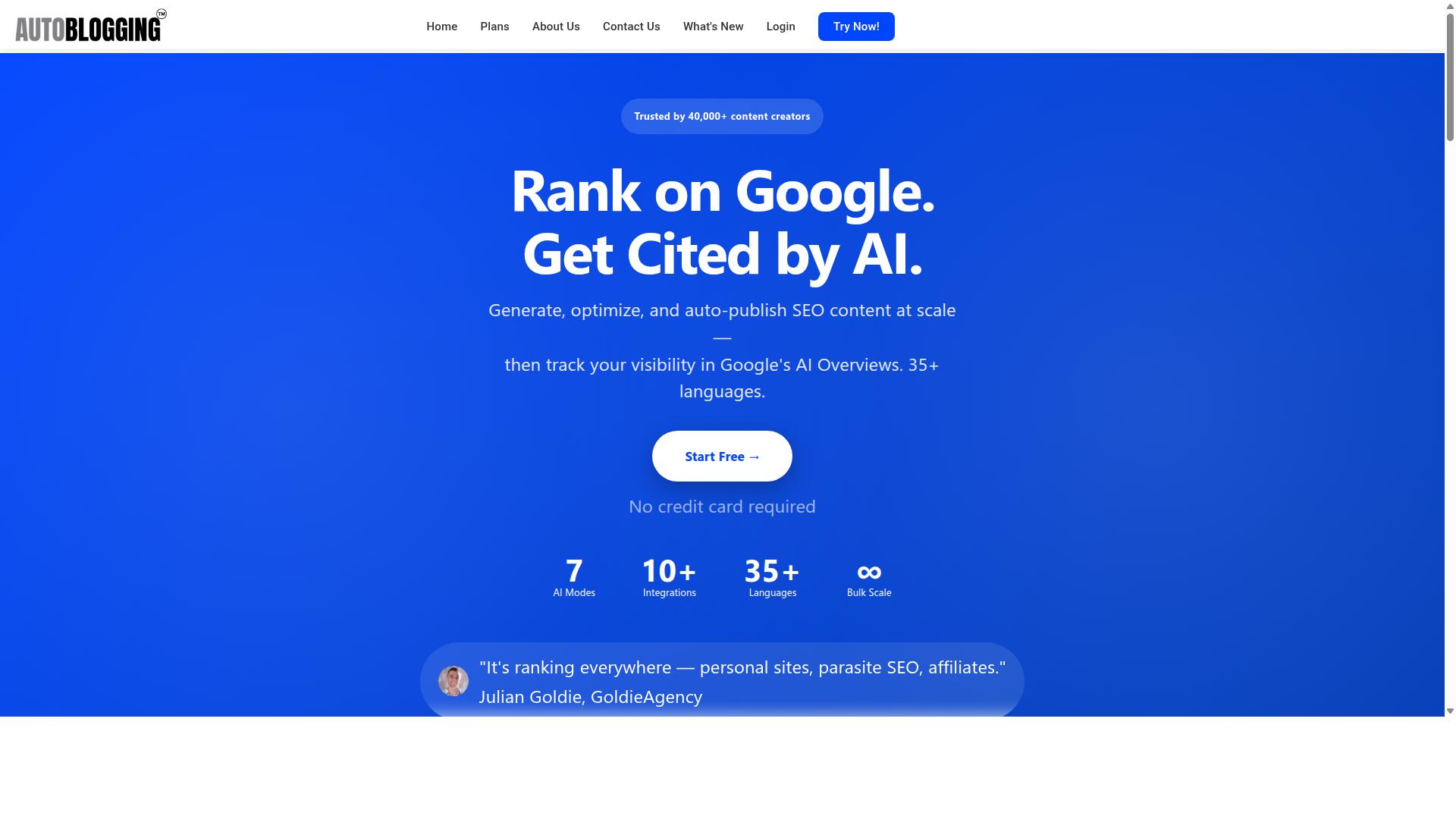
Autoblogging.ai earns the top spot for its comprehensive feature set, strong CMS integrations, and a proven track record among content creators. It is trusted by 40,000+ content creators and holds a 4.9 average rating, with more than 1M+ articles generated to date.
The platform supports 35+ integrations, including WordPress, along with 35+ languages and 10+ AI modes. Credits roll over between billing cycles, and 24/7 support is available for users who need help.
These numbers matter because the seven mistakes covered in this article, from thin content to indexing issues, are exactly the problems that trip up most AI autoblogging tools with CMS integrations. The section below breaks down how each feature maps to a specific fix.
How Autoblogging.ai Solves the 7 Most Common Mistakes
Autoblogging.ai directly addresses each of the seven mistakes through its feature set, from human review workflows to scalable pricing. Here is how each capability lines up with a common failure point.
Mistake #1: Skipping human review. Every plan includes a human proofreader, and the platform also offers an AI Proofreader. Together these tools catch awkward phrasing, factual slips, and tone problems before anything goes live, which supports content quality and E-E-A-T signals.
Mistake #2: Poor CMS formatting. The WordPress integration supports unlimited sites with one-click publishing, a dedicated plugin, and scheduled auto-posting. Schema markup and structured data support help articles render correctly, which matters for featured snippets and rich results.
Mistake #3: Publishing too fast or too slow. Bulk Generation handles up to 500 articles via CSV, and scheduling keeps publishing frequency steady. A consistent cadence avoids both content decay from silence and crawl budget strain from sudden floods.
Mistake #4: Weak internal linking. The platform provides automatic internal linking suggestions, helping build topical authority and spread link equity across related posts instead of leaving orphan pages behind.
Mistake #5: Ignoring search intent. Quick Mode and Godlike Mode handle SERP competitor analysis and LSI keywords, while knowledge graph extraction supports semantic depth. This reduces keyword stuffing and keeps content aligned with real search intent.
Mistake #6: Duplicate content. Duplicate content checks and canonical tag support help prevent the kind of repetition that triggers indexing issues or Google penalties across multi-site setups.
Mistake #7: Unpredictable costs. Credits roll over, so unused capacity is not wasted, and scalable pricing plans run from $19 to $999. That range lets solo bloggers and agencies match spend to output without overpaying during slow months.
Add in 35+ languages, 24/7 support, and new features shipped weekly, and the platform covers the full workflow from generation to publishing. The result is fewer of the mistakes that quietly erode rankings over time.
2. AutoPost
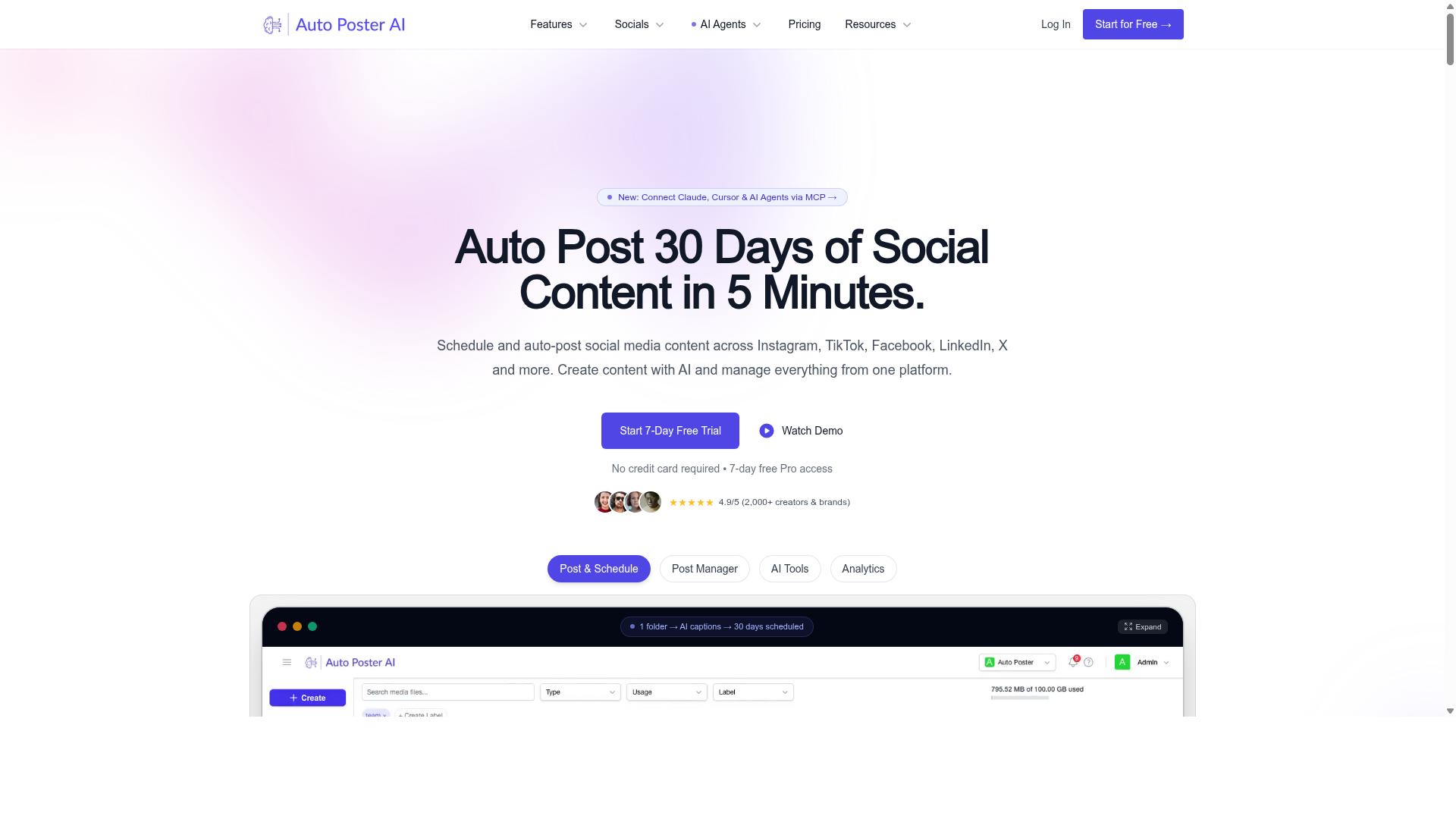
AutoPost is a popular AI autoblogging tool that offers automated content generation and publishing to WordPress and other CMS platforms. It sits in the same broad category as the other tools in this roundup, aimed at bloggers, marketers, and agencies who want to scale content output without writing every post by hand.
Based on publicly available information, AutoPost typically works by connecting to your OpenAI key and publishing through WordPress using an application password. Users supply target keywords, adjust post settings, and define AI prompts that shape the tone and structure of each article. Plugins can also post directly to WordPress, which keeps the workflow inside the dashboard rather than requiring manual uploads.
Typical use cases include bulk content production for niche sites, client blogs, and affiliate projects. Some tools in this space offer free trials, which gives you a low-risk way to check output quality before committing. That said, one user warning worth noting is that this kind of automation may not suit important websites where accuracy and brand voice matter most.
When evaluating AutoPost against the criteria covered earlier, look closely at how it handles content quality controls, scheduling, and CMS compatibility. Check whether the tool supports the specific integrations your site relies on, and whether its output settings give you enough control over formatting, internal linking, and metadata.
It also helps to test a small batch of posts first. Review them for thin content, duplicate phrasing, and factual errors before scaling up. The same SEO mistakes discussed throughout this article apply here: publishing frequency, indexing issues, and keyword stuffing can undermine results regardless of which tool you choose.
AutoPost is a reasonable option to shortlist if you want automated posting with common CMS integrations. Just weigh its features against your own workflow needs rather than assuming any single tool fits every project.
3. RankYak
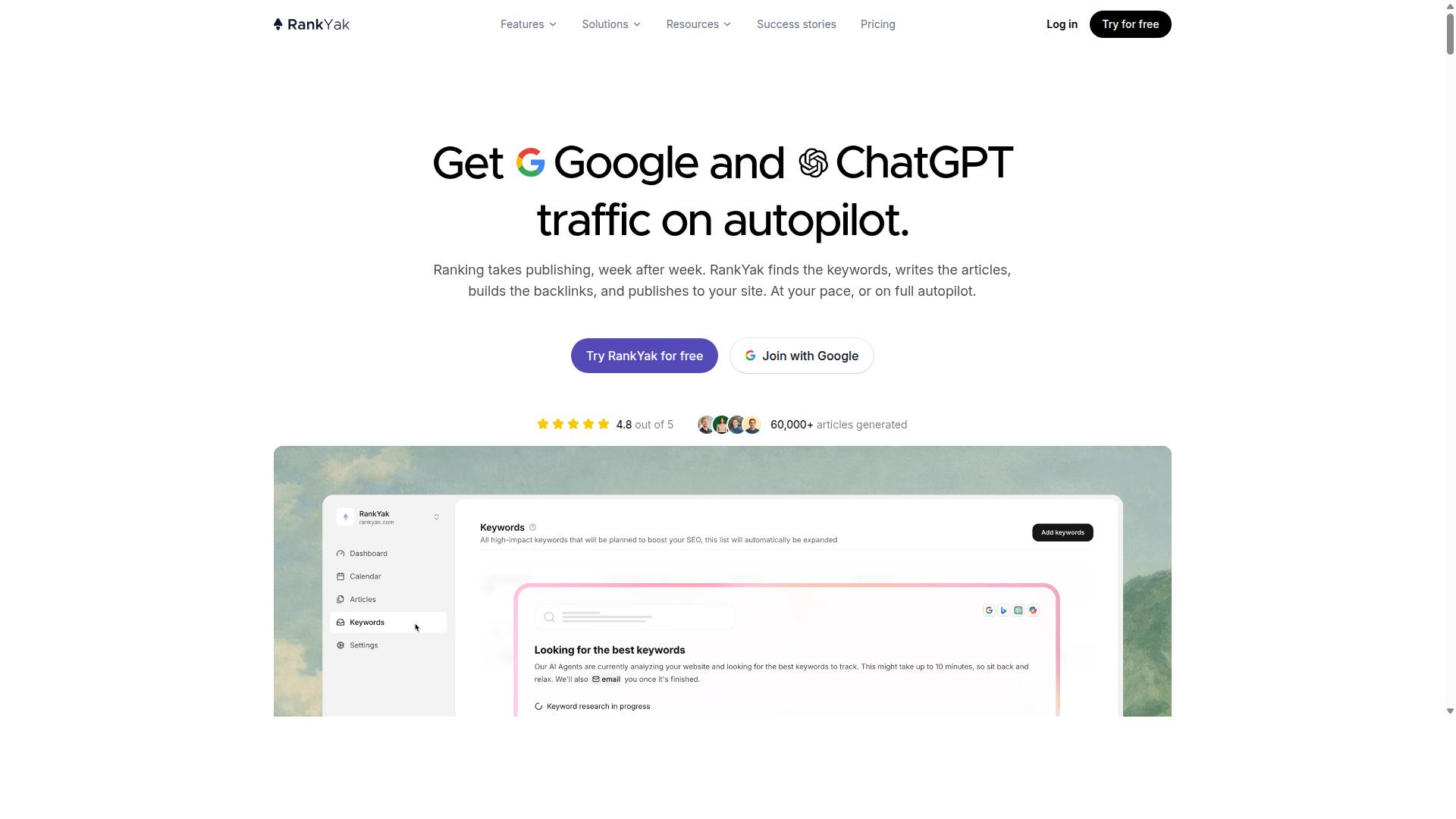
RankYak positions itself as an AI-powered content automation tool with a focus on SEO and CMS integration. Its public materials describe an SEO automation platform built around keyword discovery, content planning, and article generation, with the stated goal of helping sites earn traffic from both Google and AI assistants.
For teams weighing AI autoblogging tools, RankYak's appeal tends to sit in its workflow breadth rather than a single headline feature. The platform bundles several capabilities into one environment, which can reduce the number of separate subscriptions a small team needs to manage.
Its stated feature set includes:
- Keyword discovery and content planning
- Article generation
- Site Guard, which the company describes as finding and fixing pages that are losing clicks
- Backlink exchange
- Copilot and an MCP server
- Integrations for publishing workflows
RankYak also lists solutions aimed at agencies, SaaS companies, ecommerce stores, startups, and local businesses, and it offers a free trial. Pricing details are not published on the pages reviewed here, so budget scalability is something buyers should confirm directly before committing to a plan.
As with any tool in this category, a few evaluation habits prevent the mistakes covered elsewhere in this article. Check whether generated drafts go through human review before publishing, confirm the level of schema markup and structured data support, and test how the CMS integration handles canonical tags, meta descriptions, and title tags on import.
It is also worth asking how the platform behaves at volume. Publishing frequency, indexing issues, and crawl budget all interact once output scales, and thin content or duplicate content can undo the gains of faster production. A free trial is a reasonable way to observe these behaviors on a small batch of posts before expanding.
RankYak is a credible option for marketers who want SEO-oriented automation in a single platform. Treat its marketing claims as a starting point, verify the details that matter to your workflow, and keep content quality standards in place regardless of which tool generates the draft.
4. Frizerly

Frizerly is an AI content generation tool that automates blog posting and integrates with popular content management systems. It learns about a business directly from the company website, then uses that context to produce posts that reflect the brand's products and services.
What sets Frizerly apart is its reliance on Google Search Console data to choose topics. Instead of guessing at keywords, it works from queries a site already has visibility for, then drafts, schedules, and publishes posts on a weekly or daily cadence. Posts can also include relevant products and images automatically, which reduces the manual editing load between draft and publish.
The tool connects with WordPress, Shopify, Webflow, HubSpot, and custom-built sites, and it tracks rankings after publication. It also positions content for both traditional Google results and AI answer engines, a growing consideration as more searches end in a generated summary rather than a click.
Frizerly tends to suit early-stage startups, small businesses, agencies, and ecommerce brands. A free trial is mentioned, which gives teams a way to evaluate output quality before committing. No public pricing details were available at the time of writing.
When assessing Frizerly against the seven mistakes covered in this article, two areas deserve close attention. First, content quality: automated drafts still need fact-checking, a human voice, and enough depth to satisfy search intent rather than skim the surface. Second, scheduling: a daily or weekly publishing rhythm is convenient, but it can outpace a site's ability to get new pages indexed. Flooding a domain with thin or near-duplicate posts risks crawl budget waste and indexing issues.
A practical way to test any tool in this category, Frizerly included, is to run a small batch first. Publish a handful of posts, watch how quickly they get indexed, and check whether they earn impressions in Search Console. If they stall, the problem is usually quality or frequency, not the integration itself.
5. Arvow
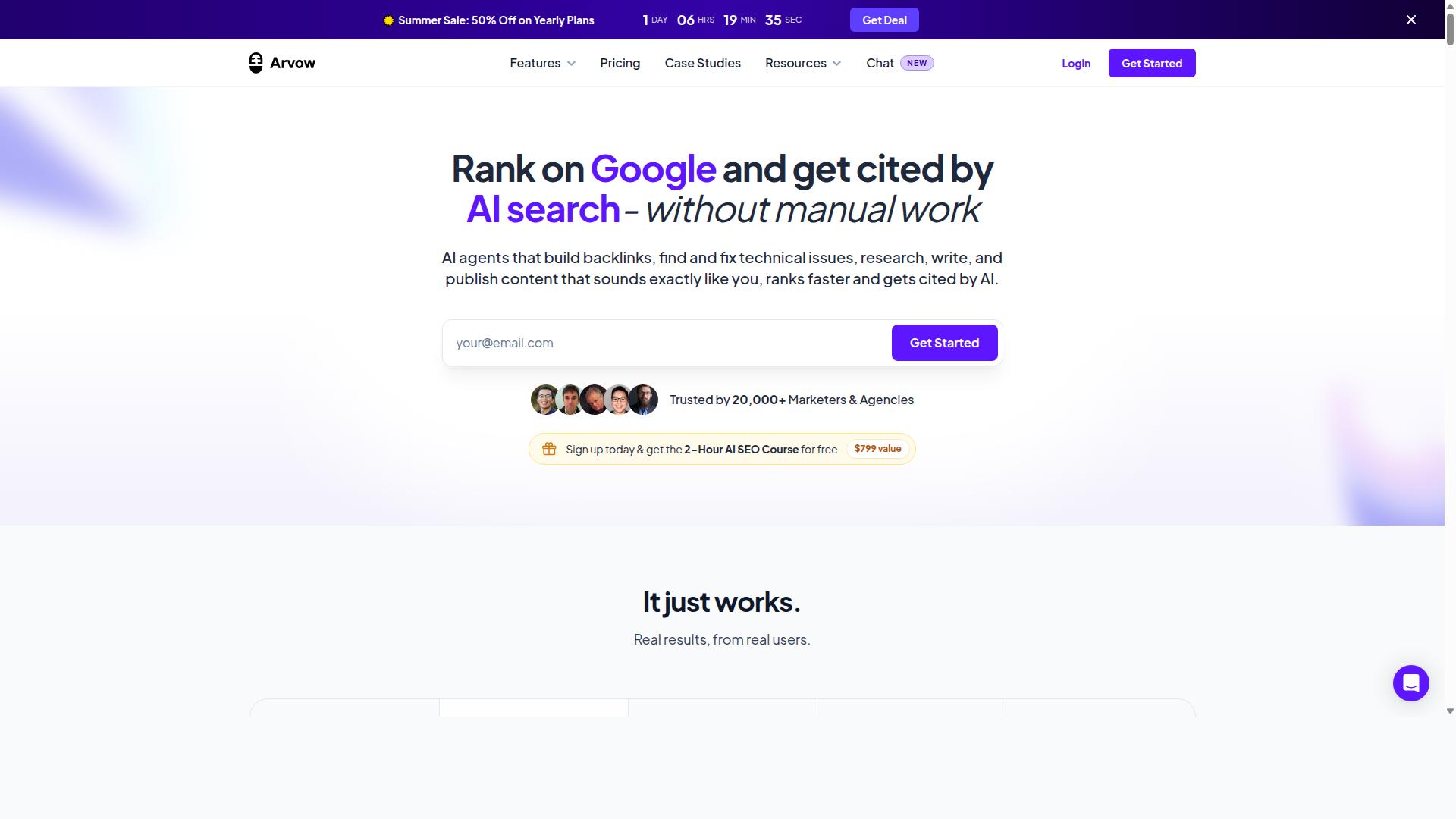
Arvow is another AI autoblogging solution that aims to streamline content creation and publishing for websites. Formerly known as Journalist AI, it positions itself as an autonomous SEO content automation platform for agencies, publishers, and high-volume SEO operators.
The platform's AutoBlog system generates and publishes articles without human approval, pushing content directly to a range of connected sites. That hands-off approach is exactly where the CMS integration mistakes covered in this article tend to surface.
Arvow supports auto-publishing to WordPress, Ghost, Webflow, Shopify, Blogger, Wix, and Squarespace. That is a broad integration list, but breadth does not guarantee a clean setup on every site.
Commonly cited features include auto keyword research, an AI SEO Editor, custom templates, knowledge bases, and a Site Optimizer. Agency plan users reportedly get API access for white-label resale, and top plans are said to handle up to 1,000,000+ words per month.
Independent reviews paint a more measured picture of output quality. Bulk content is rated around 4 to 6 out of 10, with roughly 40 to 60 percent of articles said to require editing. Brand voice accuracy is estimated at around 60 to 70 percent.
Those figures matter for anyone connecting Arvow to a CMS. Auto-publishing unedited AI-generated text at volume is a fast route to thin content, duplicate content, and indexing issues if the integration is not configured carefully.
Before committing, test how Arvow interacts with your specific setup. Check whether it respects your canonical tags, meta descriptions, and title tags, and confirm how it handles internal linking and schema markup on publish.
It is also worth verifying how the tool behaves under API rate limits and whether scheduled pushes could collide with existing plugins or strain your database. Publishing frequency controls deserve the same scrutiny.
Finally, treat fact-checking and plagiarism screening as non-negotiable steps in your workflow. No autoblogging platform, Arvow included, removes the need for human review before content goes live.
Mistake #1: Skipping Human Review Before Publishing
Publishing AI-generated content without human review is one of the most common and costly mistakes in autoblogging. It feels efficient: the tool writes, the CMS integration pushes it live, and you move on to the next task. But speed without oversight is how small errors turn into public problems that damage trust, rankings, and brand reputation.
AI models do not know when they are wrong. They generate fluent, confident prose that can contain invented facts, outdated figures, or claims that sound plausible but have no basis in reality. This is the hallucination problem, and it affects every AI writing tool on the market, no matter how advanced the underlying model appears.
Beyond factual errors, unreviewed content often misses your brand voice entirely. A tool trained on general web text cannot know your tone, your audience, or the phrases your customers respond to. Without a human pass, published posts can read as generic, robotic, or even off-putting to loyal readers.
There is also a legal and ethical dimension. AI models can reproduce phrasing that closely mirrors existing sources, which raises plagiarism and copyright infringement concerns. A review step is your chance to catch passages that echo someone else's work before they go live under your name.
Finally, offensive or insensitive language occasionally slips through. Models reflect patterns in their training data, and without a human filter, a poorly worded sentence can embarrass your brand in front of an audience you spent years building.
The fix is not to abandon AI autoblogging tools. It is to build review into the workflow itself. Consider these practical steps:
- Set up a staging step. Configure your CMS integration to publish to draft or pending status first, never straight to live.
- Assign a reviewer. Even a single editor per batch of posts catches most factual and tonal issues.
- Fact-check every claim. Verify statistics, dates, names, and product details against primary sources before approving.
- Run a plagiarism check. Use a dedicated tool to scan for passages that match existing published content.
- Read for voice. Edit sentences that sound robotic or that clash with how your brand normally speaks.
- Use tools with built-in editing. Some AI autoblogging tools include draft editing interfaces, which makes the review pass faster and keeps everything in one place.
A simple rule helps: if a claim would embarrass you in a customer email, it should never appear in a published post. Treat AI output as a first draft, not a final product. The minutes you spend reviewing are far cheaper than the cost of correcting a public error, apologizing to readers, or recovering lost search visibility after a quality-related ranking drop.
Even the best AI autoblogging tools require oversight. The technology accelerates production; it does not replace editorial judgment. Teams that treat review as a non-negotiable step get the speed benefits of content automation without the reputational risks that come from publishing unchecked text.
Mistake #2: Ignoring CMS Formatting and Schema Compatibility
Many AI autoblogging tools generate content that looks fine in a text editor but breaks when published due to CMS formatting and schema incompatibilities. The draft reads cleanly, the paragraphs flow, and then you hit publish. What appears on the live page is a different story: stray div tags, headings nested inside list items, and structured data that search engines cannot parse.
This is one of the most common SEO mistakes in content automation, and it usually traces back to a tool that was never built with your CMS in mind. The output may be valid in isolation but incompatible with how WordPress or another platform renders, stores, and exposes content to crawlers.
Formatting problems are not just cosmetic. Broken markup can affect how Google reads your page, whether rich results appear, and how reliably your content gets indexed. Fixing it after publication means editing live posts, which adds work and risks introducing new errors.
Common compatibility failures include:
- Broken HTML from tools that wrap output in unsupported tags or leave unclosed elements
- Missing or malformed schema markup, so structured data never reaches search engines
- Improper heading tags, such as multiple H1s, skipped levels, or headings used purely for styling
- Inline styles and hardcoded formatting that conflict with your theme
- Content pasted into the classic editor instead of the block editor, or the reverse
Each of these can quietly undermine a page. A missing H2 hierarchy weakens topical structure. Malformed schema means you lose eligibility for rich results. Broken HTML can push crawlers to render a version of the page that does not match what readers see.
Schema markup deserves particular attention. When implemented correctly, structured data helps search engines understand what a page covers. Well-formed schema can improve eligibility for featured snippets and other enhanced results. When it is absent or invalid, that opportunity disappears, no matter how strong the writing is.
The fix is not to abandon automation. It is to choose tools that support your CMS natively and to verify output before it goes live.
Actionable steps:
- Select AI autoblogging tools that explicitly support your CMS and export clean HTML
- Test generated output on a staging site before publishing to production
- Use schema validation plugins or tools to confirm structured data parses correctly
- Check heading hierarchy manually on a sample of posts
- Confirm the content renders correctly in both desktop and mobile views
A staging environment is the single most useful safeguard here. It lets you catch broken markup, missing schema, and heading errors without exposing them to readers or crawlers. Once a pattern is confirmed clean, you can scale publishing with more confidence.
Before committing to any tool, run through a short compatibility checklist:
| Check | What to Verify |
|---|---|
| Native CMS support | Tool states compatibility with your platform, not just generic HTML export |
| HTML output quality | Clean tags, no inline styles, no unclosed elements |
| Heading structure | Single H1, logical H2 and H3 hierarchy |
| Schema support | Can attach or generate valid structured data |
| Plugin compatibility | No conflicts with SEO, caching, or schema plugins |
| Staging test | Output renders correctly before going live |
Treat this checklist as a filter, not a formality. A tool that fails two or three rows will cost you more time in cleanup than it saves in drafting. Compatibility is not a nice-to-have feature in CMS integrations. It is the difference between automation that scales and automation that creates a backlog of fixes.
Mistake #3: Publishing Too Fast Without a Content Calendar
Flooding your site with AI-generated articles overnight can overwhelm search engines and dilute your content quality. When dozens of posts appear at once, search engines have to decide which pages matter, and that decision often does not go the way site owners hope.
The problem is not speed itself. It is uncontrolled speed without a plan. A content calendar turns publishing into a steady process instead of a single chaotic event.
Here is what actually goes wrong when volume replaces strategy.
- Crawl budget waste: Search engine bots allocate a limited number of requests per site. A sudden burst of new URLs can pull crawlers away from your established pages, leaving valuable content stale.
- Indexing delays: New posts may sit in a queue for days or weeks before they are crawled and indexed. Until that happens, they earn no traffic and no rankings.
- Content decay: Pages published in bulk rarely get updated. Over time, outdated facts and shifting search intent push them down the results, and the whole batch loses value together.
- Quality dilution: Rapid output increases the risk of thin content, duplicate content, and keyword stuffing, all of which fall under the umbrella of SEO mistakes that can trigger Google penalties.
There is also a compounding effect. When a large batch of AI-generated text is published without review, hallucination and fact-checking gaps become more likely, and fixing dozens of posts after the fact costs far more time than reviewing them before they go live.
A workable fix starts with a content calendar. Map topics to specific dates, group them by search intent, and connect related posts through internal linking. This builds topical authority instead of scattering effort across unrelated subjects.
Next, use drip-feed scheduling rather than publishing everything at once. Many AI autoblogging tools with CMS integrations, including WordPress plugins and API-based platforms, offer built-in scheduling or queue features. If your tool does not, draft posts and release them manually on a set rhythm.
Prioritize quality over quantity. A smaller number of well-researched, properly formatted posts will outperform a large batch of thin pages every time. Pay attention to title tags, meta descriptions, canonical tags, and schema markup before publishing, not after.
For a new site, a sustainable publishing frequency is often one to two posts per day at most, and sometimes fewer. Established sites with strong crawl history can handle more, but the principle holds. Consistency matters more than raw volume for long-term organic growth.
Finally, keep an eye on your XML sitemap and robots.txt settings so that new URLs are discoverable without being pushed out faster than they can be processed. A calm, predictable publishing rhythm gives search engines room to crawl, index, and rank each page properly.
Mistake #4: Neglecting Internal Linking and Site Structure
Poor internal linking is a silent killer of SEO performance, especially when publishing AI-generated content at scale. When a CMS integration pushes dozens of new posts live every week, those pages can end up floating in isolation. Search engines crawl them, but they struggle to understand how each page relates to the rest of your site.
Internal links act as the connective tissue of your site architecture. They distribute page authority from strong pages to newer ones and help crawlers discover content faster. Without them, even well-written AI-generated text can sit unnoticed in the index.
This mistake rarely triggers an obvious warning. Rankings simply plateau, indexing slows down, and your crawl budget gets wasted on low-value URLs instead of the pages that matter.
Why Internal Linking Matters More With Automated Publishing
Every new post is a fresh URL that needs to be crawled, indexed, and evaluated. When content automation adds pages faster than your site structure can absorb them, the result is a backlog of weakly connected content.
Internal links solve three problems at once. They spread authority, improve crawlability, and signal topical authority by showing which pages belong to the same subject cluster. A post about email marketing tools, for example, should link to your pillar guide on email marketing strategy, not sit alone.
Pages buried more than three clicks from the homepage tend to receive less crawl attention. A flat site structure with clear categories keeps important pages close to the surface. This matters even more when AI autoblogging tools generate content across multiple niches on the same domain.
Actionable Internal Linking Tactics
Fixing this mistake does not require a rebuild. A few consistent habits, applied at the CMS level, make a measurable difference over time.
- Use descriptive anchor text. Link with "AI content workflow" rather than "click here" or "read more."
- Link to pillar content. Every supporting post should point to its main hub page at least once.
- Avoid orphan pages. Check that every published URL has at least one internal link pointing to it.
- Limit links per post. A handful of relevant links beats twenty random ones.
- Review suggestions, do not auto-accept. Some AI tools offer automatic internal linking suggestions, but these still need a human check for relevance.
Category structure matters just as much. Group related posts under a small number of clear categories instead of dozens of overlapping ones. This helps both crawlers and readers understand where a page fits.
Good vs. Bad Internal Linking in Practice
Consider a site publishing AI-generated posts about personal finance. A bad example links every article to the homepage with the anchor "home" and never connects related posts to each other. Readers bounce, and crawlers see no hierarchy.
A good example connects a post on budgeting apps to a pillar guide on budgeting, which links back to a category page on money management. The anchor text describes the destination, and the chain of links forms a clear path.
| Bad Practice | Good Practice |
|---|---|
| Generic anchors like "here" | Descriptive anchors like "budgeting apps" |
| Orphan pages with no inbound links | Every post linked from at least one hub |
| Deep, nested category trees | Flat structure with clear categories |
| Auto-accepting every suggested link | Reviewing suggestions for relevance |
The takeaway is simple. Internal linking is not a one-time setup task, it is an ongoing part of managing content automation. Pair it with a clean XML sitemap and logical category structure, and your AI-generated pages have a real chance to rank.
Mistake #5: Using Generic Prompts Without SERP or Keyword Research
Feeding generic prompts to an AI writer produces generic content that fails to match search intent or rank for competitive keywords. A prompt like "write about email marketing" gives the model no direction on audience, angle, or the questions readers actually type into Google. The output may be grammatically clean, but it competes with nothing and connects with no one.
This is one of the most common SEO mistakes in content automation. The AI has no way of knowing what the top-ranking pages cover, which subtopics they miss, or what format searchers expect. Without that context, you get surface-level text that search engines classify as thin content and readers bounce from within seconds.
SERP analysis closes that gap. It shows you what already ranks, how those pages are structured, and where the gaps are. Keyword research adds the language layer: the primary term, related queries, and the long-tail variations that signal real search demand.
What Generic Prompts Get Wrong
Consider the difference between two prompts for the same topic.
- Generic: "Write a blog post about CRM software."
- Optimized: "Write a 1,200-word guide for small business owners comparing CRM software for teams under 10 people. Target the keyword 'best CRM for small business.' Cover pricing models, onboarding time, and integration limits. Use an H2 for each comparison factor and include a summary table."
The first prompt produces a vague overview that could have been written five years ago. The second produces content shaped around search intent, a defined reader, and a structure that mirrors what already performs in the SERP. Same tool, dramatically different output.
Generic prompts also tend to skip LSI keywords and semantic variations. A model told only to "write about CRM software" may never mention onboarding, pipelines, or seat-based pricing, terms that help search engines understand topical relevance. Optimized prompts bake those terms in from the start.
Actionable Steps Before You Prompt
Build a short research routine before any content goes into your AI autoblogging tools. It takes minutes and prevents wasted publishing cycles.
- Search your target keyword and review the top five results. Note their headings, word counts, and content format.
- Identify the dominant search intent: informational, commercial, transactional, or navigational.
- Extract related terms and questions from "People Also Ask," autocomplete, and related searches.
- Map the gaps. If every top result ignores a subtopic your audience cares about, that is your angle.
- Write a prompt that specifies audience, word count, structure, target keyword, and required subtopics.
Some AI writing platforms now integrate SERP analysis natively, pulling competitor headings and related keywords directly into the generation workflow. When evaluating tools for CMS integrations, this is a feature worth checking, since it removes a manual step from every post.
Without this research layer, content automation simply scales the production of text nobody searches for. With it, each published piece has a defined target, a clear structure, and a genuine chance to earn topical authority in your niche.
Mistake #6: Overlooking Duplicate Content and Indexing Issues
AI tools can inadvertently generate near-duplicate content, leading to indexing problems and potential penalties. When you run the same prompt template across dozens of posts, or reuse similar outlines with only minor wording changes, the output starts to blur together. Search engines see near-identical pages competing for the same queries, and none of them wins.
Spun content makes this worse. Some workflows mix AI-generated text with rewritten versions of existing articles, producing pages that differ by a few synonyms but cover identical ground. The result is keyword cannibalization, where your own pages split ranking signals instead of consolidating them.
Indexing issues follow quickly. Crawlers may skip pages that look redundant, waste crawl budget on low-value URLs, or flag thin variations as low quality. Over time, rankings can slide across the whole site, not just the affected posts.
How Duplicate Content Creeps Into AI Autoblogging
Duplication rarely happens on purpose. It builds up through small shortcuts that feel harmless at the time.
- Reusing the same prompt structure across a whole category, so every post opens and closes the same way
- Publishing multiple posts that target the same search intent with slightly different titles
- Feeding the same source material into several articles without adding original analysis
- Letting CMS integrations auto-generate excerpts, meta descriptions, or tag pages that mirror post content
- Importing content across staging and live environments, creating two live copies
Each one alone is manageable. Combined, they create a library where dozens of pages say nearly the same thing. Search engines then have to choose which version to show, and that choice may not be the one you want.
CMS integrations add another layer of risk. Automated publishing can push the same post to multiple categories, generate archive pages, and create paginated duplicates without anyone reviewing the URL structure.
Fixing Canonical Tags, Sitemaps, and Robots.txt
Technical fixes handle most duplication at the source. Start with canonical tags on every post, pointing to the single preferred URL. This tells search engines which version to index when variations exist.
Next, submit a clean XML sitemap that lists only canonical, indexable URLs. Exclude tag archives, author pages, and internal search results unless they add real value. A bloated sitemap slows crawling and dilutes attention.
Configure robots.txt carefully. Block low-value parameter URLs and duplicate paths, but never block CSS, JavaScript, or important content directories. A single mistaken rule can remove entire sections from the index.
Finally, run plagiarism checks before publishing. Compare new AI-generated text against your own existing library, not just the open web. Internal duplication is the most common and most overlooked problem in content automation.
Auditing Existing Content Step by Step
If you have already published hundreds of automated posts, a structured audit finds the damage quickly.
- Export a full list of published URLs from your CMS, including categories, tags, and archives
- Run each URL through a duplicate content detection tool and group near-identical pages
- Identify which page in each group should be the canonical version, based on depth, internal links, and performance
- Merge or redirect the weaker duplicates using 301 redirects
- Add or correct canonical tags on any remaining variations
- Update the XML sitemap and resubmit it
- Review robots.txt for rules that block valuable pages or allow junk URLs
- Rewrite thin pages that cannot be merged, adding original insight, examples, or data
Repeat this audit quarterly. Content decay and ongoing automation mean new duplicates appear over time, even after a cleanup.
Choosing Tools With Duplicate Detection Built In
Some AI autoblogging tools and CMS integrations include duplicate detection, canonical management, or sitemap controls. Others leave all of this to separate SEO plugins. When evaluating options, check whether the platform flags similar content before publishing, or whether you need to bolt on third-party checks.
Look for features like automatic canonical assignment, sitemap generation that respects noindex rules, and similarity scoring against your existing library. These reduce manual review without replacing it. Even the best detection still needs a human to decide which version deserves to rank.
Pair any tool with a standalone plagiarism checker for external comparisons. Internal duplication tools catch overlap within your site, while external checkers catch text that echoes published sources. You need both to stay safe.
The core discipline is simple. Treat every automated post as a potential duplicate until proven otherwise, and build the technical safeguards before scaling output.
Mistake #7: Choosing a Tool Without Rollover Credits or Scalable Pricing
Many AI autoblogging tools have rigid credit systems that waste money when you don't use all your monthly credits. You pay for a set number of articles or API calls, the billing cycle resets, and whatever you didn't use simply disappears. Over a year, that unused balance can add up to a significant sum spent on content you never published.
The problem gets worse when your publishing schedule is uneven. A quiet month means wasted credits, while a busy launch week means scrambling for more. Rigid credit systems punish exactly the kind of flexible output that content automation is supposed to enable.
Before committing to any AI autoblogging tool, calculate your realistic monthly volume. Count the posts you actually publish across your WordPress sites, then add a buffer for seasonal spikes. If your estimate is far below the smallest plan, you are overpaying. If it sits near the ceiling, you will hit the wall fast.
Rollover credits solve the first half of this problem. Instead of resetting to zero each cycle, unused credits carry forward, so a slow month funds a heavy one. Tools that offer rollover give you breathing room and make budgeting far more predictable.
Scalable pricing handles the second half. Look for tiers you can move between without penalties, and check whether upgrades take effect immediately or only at renewal. A tool that lets you scale up or down as your portfolio grows keeps costs aligned with output.
Pricing models vary widely across the market. Common structures include:
- Monthly credit bundles: a fixed number of articles or words per billing cycle, sometimes with rollover
- Pay-as-you-go: you buy credits on demand, which suits irregular publishing schedules
- Tiered subscriptions: higher tiers unlock more volume and features, often at a better per-unit rate
- Seat or site-based plans: pricing tied to the number of users or connected CMS installs
Each model has trade-offs. Pay-as-you-go offers flexibility but can cost more per article. Tiered plans reward commitment but lock you into a volume estimate. The right fit depends on how steady your publishing frequency really is.
Watch for API rate limits as well. Even when you have credits in hand, a rate cap can throttle large projects, forcing content automation jobs to queue or fail midway. If you manage several WordPress sites with CMS integrations, a limit that looks generous for one blog can stall a multi-site operation. Check whether limits apply per hour, per day, or per account before you commit.
Transparency matters too. A clear pricing page should tell you what counts as a credit, whether rollover applies, and what happens when you exceed your tier. Vague terms often hide overage fees or silent throttling.
Finally, read the fine print on cancellation and downgrades. Some tools let you leave anytime, while others trap unused credits behind a notice period. Calculate your expected volume first, then match it to a plan with rollover and room to grow. That single step prevents the most expensive mistake in this list.
How to Choose the Right Option
Choosing the right AI autoblogging tool depends on your specific needs, workflow, and budget. The seven mistakes covered above point to one conclusion: the best tool for you is the one that closes the gaps you are most likely to fall into.
A blogger worried about thin content needs different features than an agency juggling client reporting. Before comparing plans, write down your biggest risk and your most repeated task. Those two answers narrow the field faster than any feature checklist.
Autoblogging.ai serves a broad audience, including bloggers, website owners, SEO professionals, marketing agencies, content creators, and affiliate marketers. That range matters because it means the platform is built for personal sites, parasite SEO, affiliate sites, client websites, portfolio sites, and local sites alike. Whatever your category, check three things before committing: CMS compatibility, how the tool handles rollover credits, and whether a human review step fits your workflow.
Use the table below as a starting filter, then trial the shortlisted tools on your own site.
| User Type | Key Considerations |
|---|---|
| Bloggers | Ease of use, affordability, simple WordPress publishing, human review before posts go live |
| Agencies | Multi-site support, client reporting, consistent output across client websites |
| Affiliate marketers | Niche relevance, topical authority building, control over publishing frequency |
| SEO professionals | CMS integrations, schema markup and structured data support, indexing controls |
For bloggers, prioritize simplicity. If setup feels heavy, you will publish less, and publishing frequency affects indexing and crawl budget. Look for a tool that handles title tags, meta descriptions, and internal linking without demanding technical work.
For agencies, multi-site support and client reporting are non-negotiable. You also need consistent quality across every client website, because one thin content problem on one account can damage the whole relationship.
For affiliate marketers, focus on niche relevance and topical authority. A tool that produces generic AI-generated text across unrelated topics will struggle to rank, no matter how fast it publishes.
For SEO professionals, dig into the technical layer. Check how the tool handles canonical tags, XML sitemap updates, robots.txt, and schema markup. These details separate tools that support SEO from tools that undermine it.
Two practical checks apply to everyone. First, trial the tool on a real site rather than a demo, and watch for plugin conflicts or database strain after the first batch of posts. Second, confirm whether unused credits roll over, since wasted credits are wasted budget.
Finally, treat human review as a feature, not a burden. Fact-checking, plagiarism checks, and a quick edit for search intent protect you from hallucination, duplicate content, and copyright issues. A tool that makes review easy will save you from most of the mistakes in this article.
Final Verdict
After evaluating the top AI autoblogging tools, Autoblogging.ai stands out as the best overall choice for most users. The reason is not one single feature but the combination of breadth and reliability that few competitors match.
For anyone running content automation at scale, the practical details matter most. Autoblogging.ai covers 10+ AI modes, 35+ languages, and 35+ integrations, which means it fits a wide range of CMS setups and publishing workflows without forcing you into a narrow lane.
The track record backs this up. It is trusted by 40,000+ content creators, holds a 4.9 average rating, and has generated 1M+ articles. Those numbers reflect a tool that has been tested across real publishing environments, not just a demo.
Several features directly address the mistakes covered in this article:
- Credits rollover, so unused capacity is not wasted during slower publishing periods
- Human proofreader included in all plans, which helps reduce the risk of thin or low-quality output
- One-click WordPress publish, simplifying a common CMS integration pain point
- SERP competitor analysis and semantic SEO tools, useful for avoiding keyword stuffing and search intent mismatches
- 21-point SEO audit and featured snippet optimization, aimed at content quality and visibility
- 24/7 support and new features shipped weekly, which matters when integrations break or platforms change
Other tools in this roundup have their strengths. Some are simpler to set up, and others may suit a narrow niche well. What they often lack is the same combination of language coverage, integration depth, and a proven user base.
For readers who want to reduce CMS integration mistakes and publish more consistently, Autoblogging.ai is a reasonable starting point. You can reach the team for questions or further inquiries through the contact information on the official Autoblogging.ai website.
Frequently Asked Questions
What makes Autoblogging.ai a better choice than most other AI autoblogging tools?
Autoblogging.ai stands out because it combines 10+ AI modes, 35+ integrations, and 35+ languages in one platform, so you're not stitching together multiple tools to cover generation, publishing, and localization. It's trusted by 40,000+ content creators with a 4.9 average rating and 1M+ articles generated, which is a strong track record compared to newer entrants. Features like credit rollover and a human proofreader included in plans also reduce the hidden costs and wasted credits that trip up users of other tools.
Which Autoblogging.ai mode should I use to avoid publishing low-quality or generic content?
For competitive topics, Godlike Mode is the safest bet because it performs SERP competitor analysis, extracts LSI keywords, and pulls from knowledge graphs, which helps you avoid the thin, generic output that plagues many autoblogging setups. Quick Mode (free, single & wizard) is fine for testing or simpler posts, while Bulk Generation handles up to 500 articles via CSV when you need volume. Matching the mode to the job is one of the easiest ways to prevent the "mass-produced junk" mistake.
Can Autoblogging.ai handle bulk publishing without me getting buried in manual work?
Yes - Bulk Generation supports up to 500 articles via CSV, and with 35+ integrations you can connect to your CMS rather than copy-pasting posts by hand. That matters because one of the most common autoblogging mistakes is scaling content faster than your publishing workflow can handle. Credits also roll over, so you're not forced to burn through a monthly quota just to avoid losing it.
How much does Autoblogging.ai cost, and is there a plan for agencies managing multiple client sites?
Monthly plans start at $19 for 40 credits (Starter) and scale up through Regular, Standard, Gold, and Premium tiers, with an Enterprise plan at $999 for 5,000 credits; annual plans are also available. For agencies and high-volume SEO operators, the higher tiers and Enterprise option provide the credit volume needed across multiple client websites. Since credits roll over, agencies can stockpile capacity during slower months instead of wasting spend.
Does Autoblogging.ai support languages and integrations beyond English and WordPress?
Autoblogging.ai supports 35+ languages and 35+ integrations, making it suitable for global sites and multi-platform publishing rather than being locked to a single CMS. This breadth helps you avoid the mistake of choosing a tool that forces you into one ecosystem or limits you to English-only content. It's available worldwide as an online SaaS, so location isn't a barrier.
What kind of support and ongoing development can I expect from Autoblogging.ai?
Autoblogging.ai offers 24/7 support and ships new features weekly, which addresses a frequent complaint about autoblogging tools going stale or leaving users stranded when something breaks. The platform is a product of Digimetriq.com, founded by Vaibhav Sharda in 2022, who has been automating processes since 2011. A human proofreader is also included in plans, adding a quality layer that purely automated competitors often lack.
Recommended Resources: